How to Close a Perpetual Position - Exit Your Trades Safely
Closing positions on perps market is super easy, lets break it down:
- Tap
Tradein navbar. - It will show you all active and open shorts and long positions.
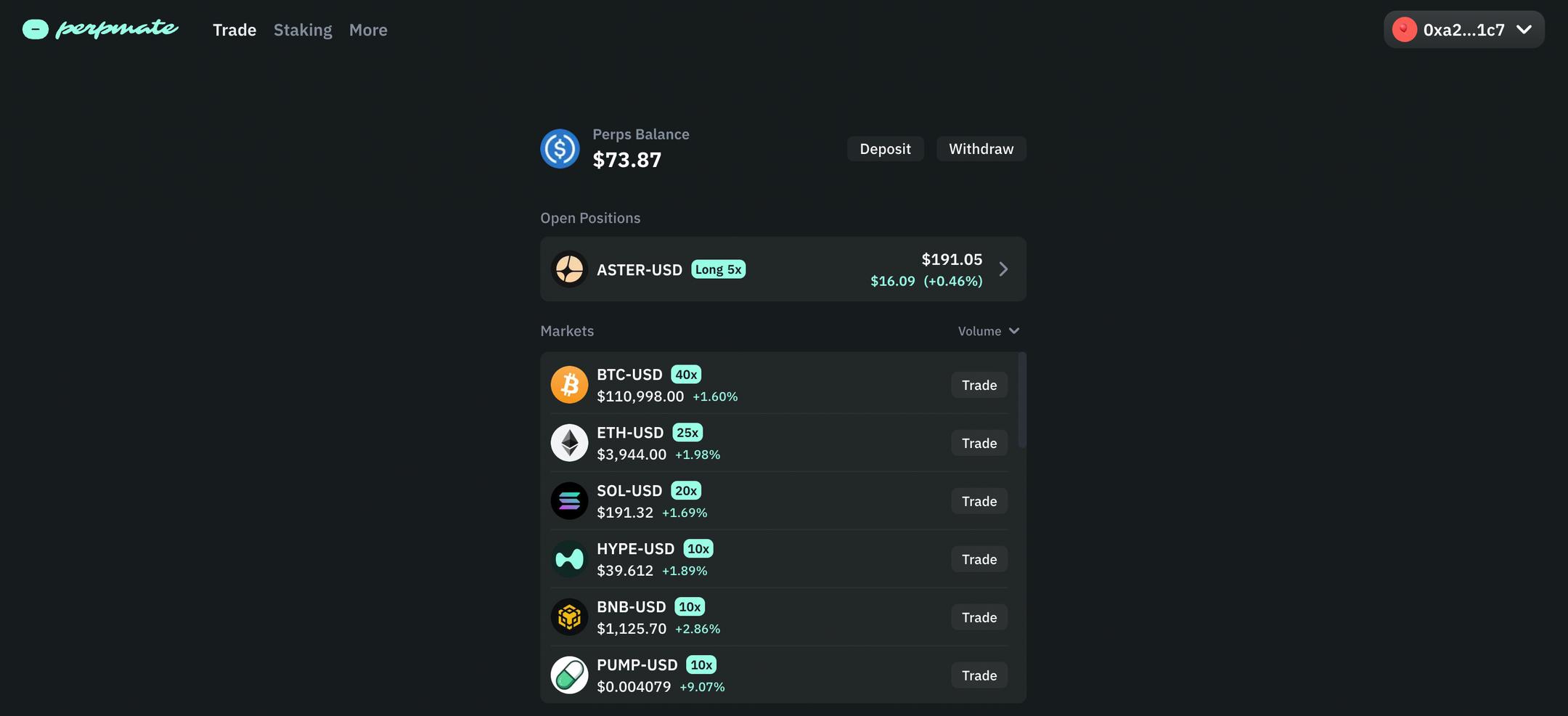
- Pick the one you want to close and just tap
Close Position.


Done, you will receive back your USDC and your extra PnL you made on the long or short perp position.
What happens if I dont close my perp position and market goes other direction?
If you dont close your perp position and perp market goes other direction than long or shorted, you will be liquidated. Liquidation is when the market price goes against you and you are not able to cover your position. Liquidation is a safety feature to prevent you from losing more than you have in your margin.
To avoid liquidations add more margin, that means add more USDC into your balance to not get liquidation price. Learn more about leverage and risk management and cross margining. You can also use stop-loss orders to protect against liquidation.
Couple more things to understand for trading perps:
What is PnL?
PnL stands for Profit and Loss.
PnL positive
if you have positive PnL or ROE% you are in profit, closing this perp position will give you back margin + profit on PnL
PnL negative
if you have negative PnL or ROE% you are in loss and closing this perp position will give you back margin - loss on PnL
PnL positive but funding rate show negative amount that is same as PnL
Lets say your PnL is $20 and funding shows -$20, this means you actually did not make any money or lost any money. Learn more about funding rates and how they affect your trades.